
Early access offer:Early access: 30% off, for as long as you stay subscribed.

Claim offer
Try the editor free

Emergency Response Procedure - Threatening Situation

Policy · POLICY-70075

  • Version 2
  • Miscellaneous
  • Reads on any phone

The Threatening Situation Emergency Response Procedure guides staff in managing threatening situations effectively. It sets out clear steps to follow when faced with potential harm, so everyone involved stays as safe as possible.

It covers the emergency response actions, with an emphasis on staying calm to defuse tension and communicating in a way that prevents escalation.

An Incident/Near-Miss Report Form is included for reporting incidents or near misses and recording follow-up actions, for thorough documentation.

Preview of the Emergency Response Procedure - Threatening Situation Policy

Emergency Response Procedure - Threatening Situation

PolicyVersion 2

Terminology

A threatening situation is a communicated intent (or belief) that a person’s intent is to inflict harm on another person. A threat can be communicated physically, verbally or simply by intent.
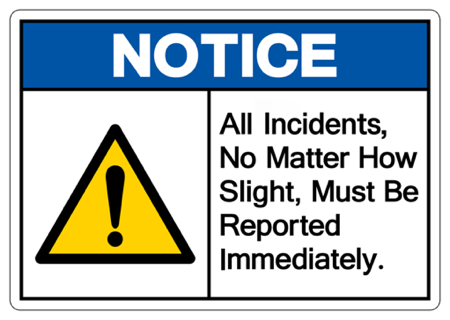
Notice sign: All incidents, no matter how slight, must be reported immediately.

2 more sections

  1. Emergency response procedure
  2. Incident/Near-Miss Report Form

Written in full, ready for your business's details.

Preview as

How it reads in a browser

Get this template

Sign up free, then choose how you'd like it. Your company details fill in for you.

  • Included in paid plans

    Use template credits from your plan. This one costs 1.

    Compare plans and prices
  • Buy it once

    $89.95 paid once, and it's yours to keep. Works on the free plan too.

No card needed to sign up. Early access members get 30% off any plan.

What it covers

3 sections

  1. Emergency response procedure
  2. Incident/Near-Miss Report Form

Plus definitions

Reviews

No reviews yet.

See all

How templates work

Try it before you pay.

  1. Preview free

    Every template's job steps, hazards and first task are open to read. No sign-up.

  2. Try the editor

    Tailor a demo SWMS with your company, job and site, on a computer or your phone.

  3. Sign up free

    Your details and logo carry over. This template opens already filled in.

  4. Use a credit or buy once

    Paid plans include template credits every month. Or buy this one to keep.