Been sent a SWMS to sign? Here's what to do
A builder sent you a SWMS through SafetyDocs. What the link is, what to check before you sign, and why it's free, with no app to install.
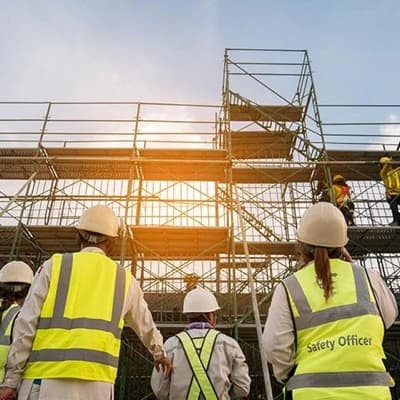
If a builder or principal contractor has sent you a link to a Safe Work Method Statement (SWMS), they use SafetyDocs for the safety documents on their jobs. You don't need an app, and it's free. Open the link, read the document and sign with your finger.
This guide explains what you've been sent, what to check before you sign, and what to do if something in the SWMS doesn't match the job.
What is a SWMS?
A SWMS is a document that sets out the high-risk construction work on a job, the hazards that come with it, and the controls that keep people safe. It's written for the people doing the work, so it should describe the tasks the way they're actually done on site.
Under the model Work Health and Safety Regulations, a SWMS must be prepared before high-risk construction work starts, such as work at height over 2 metres, work near energised electrical lines, or work in a confined space. The work must then be done the way the SWMS describes. Read more in our guide to high-risk construction work in Australia.
Why you're asked to sign it
Signing a SWMS means you're saying you've read it and will do the work the way it describes. It doesn't prove you understood it, so ask before you sign if anything isn't clear, including if you need it explained in your own language. It's also how the business running the job keeps a record that the crew has been told about the hazards and controls.
Signing doesn't take away your rights, including workers' compensation or your right to raise a safety concern.
Signing isn't just paperwork. If the controls in the SWMS aren't followed, the work has to stop until it can be done safely.
How signing works
- Open the link you were sent by text or email. It opens in your phone's browser, so there's nothing to download.
- Read the document.
- Enter your name, your mobile or email, and your company, or choose self-employed.
- Confirm the code, if the job asks for one. We send it to that mobile or email.
- Sign with your finger on the screen.
That's it. The builder's managers and admins can see the details you gave and that you've signed, and the signed record stays with the job. The link to a private job asks you to sign in instead, and a manager needs to have added or invited you.
If you were given a QR code at the gate or site office instead, see joining a job as a guest.
What to check before you sign
Take a few minutes to read it properly. A SWMS only works if it matches the job in front of you. Check that:
- The tasks match your work. The steps should describe what you'll actually be doing on this site.
- The hazards are the ones you'll face. Look for anything missing, like overhead power lines, traffic, other trades working above you, or weather.
- The controls make sense. Each hazard should have a control you can follow, from removing the hazard down to PPE. Our guide to the hierarchy of controls explains how controls are ranked.
- You have what you need. If the SWMS calls for a harness, an exclusion zone, a spotter or a licence, make sure they're actually available on site.
- You know what to do in an emergency. Check where to go, who to call and where the first aid kit is.
If something doesn't match the job
Don't sign a SWMS you don't understand or can't follow. Talk to your supervisor or the person who sent it before you start work. The SWMS should be reviewed and updated when the work, the site or the controls change, and workers are entitled to be consulted about health and safety matters that affect them.
If conditions change once you've started, such as new equipment, a different method or bad weather, stop and raise it. The SWMS may need to be revised, and the crew asked to read and sign it again.
Common questions
Do I need to pay or create an account? No. Signing a SWMS you've been sent is free. You don't need a SafetyDocs account, unless the job is private.
Do I need to install an app? No. The link opens in the browser on your phone, tablet or computer.
What details do you ask for? Your name, your mobile or email, your company, and your signature. The organisation running the job keeps them, and its managers and admins can see them. Signing without an account doesn't add you to our marketing list. See our privacy policy for how we handle them.
Can I get a copy? Ask the builder or the person who sent it. The signed record belongs to their job. If you sign with a SafetyDocs account, it keeps a reference to what you signed, and you can open that version later.
I write SWMS for my own business. Can I use SafetyDocs too? Yes. Browse the SWMS template library or read our guide to writing a SWMS.
Bibliothèque de modèles
Passez à la pratique avec vos propres AST.
Notre bibliothèque de modèles n’est pas encore offerte au Canada. En attendant, rédigez vos AST dans SafetyDocs, partagez-les avec votre équipe et faites-les signer.
Guides connexes
AST et méthodes de travail
SWMS vs JSA: what's the difference?
Understand the key differences between a SWMS and JSA. Learn when to use each to improve safety and ensure compliance at work.

AST et méthodes de travail
SWMS template: a guide to safe work method statements
What a Safe Work Method Statement (SWMS) template is, what it must include, and how using one saves time and keeps your high-risk work compliant.
AST et méthodes de travail
SWMS examples: 10 templates for high-risk work
See 10 SWMS examples for high-risk construction work, from earthmoving to asbestos, and learn what every Safe Work Method Statement must include.