What is a toolbox talk? How to run one that actually works
A toolbox talk is a short safety meeting held on site. Learn what it covers, how to run a 5 to 10 minute talk your crew engages with, and how to record it.
이 글은 현재 영어로만 제공됩니다.
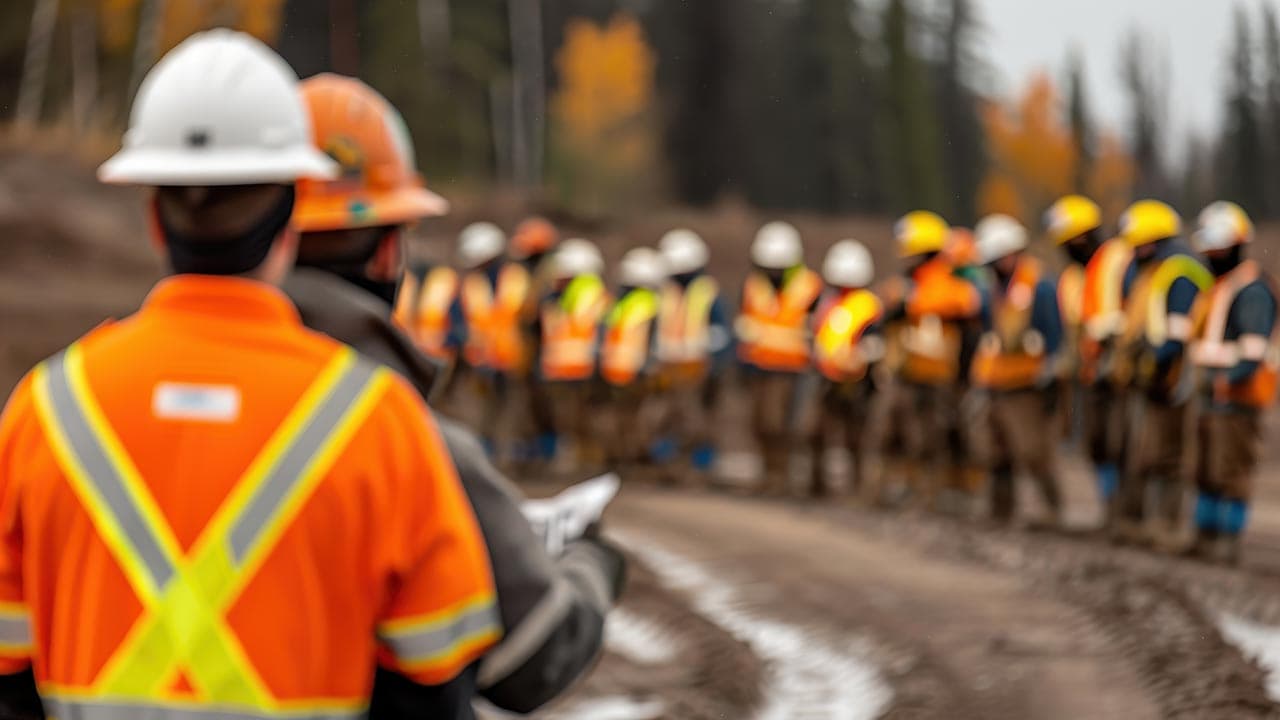
A toolbox talk is a short, informal safety meeting held on site, usually at the start of a shift. It covers one safety topic, such as a hazard on today's job, and gives the crew a chance to ask questions and raise concerns. It's also called a safety talk, pre-start, safety briefing or tailgate meeting.
Done well, a toolbox talk is one of the most practical ways to keep workers involved in safety. Done badly, it's a signature on a form that nobody remembers. This guide explains what a toolbox talk is for, how to run one in five to ten minutes, and how to record it so you can show it happened.
Why run toolbox talks?
The WHS laws don't name toolbox talks. What they do require is that you consult workers about health and safety matters that affect them. Section 47 of the WHS Act sets out that duty to consult, and a short talk before the work starts is a simple way to meet it.
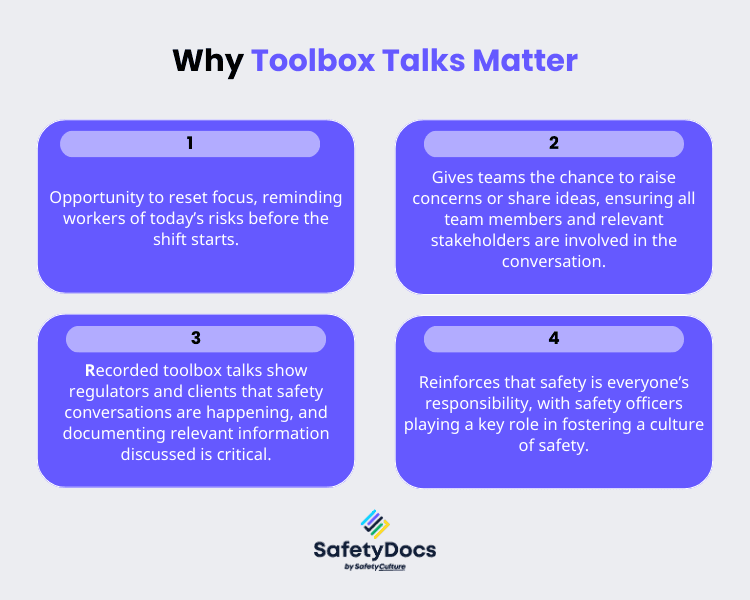
A good talk does four things:
- Refocuses the crew. It reminds everyone of today's risks before anyone picks up a tool.
- Surfaces problems early. Workers often know about a damaged ladder or a blind corner before a supervisor does.
- Creates a record. A dated note of the topic, attendees and actions shows you talked about safety and acted on what came up.
- Shows that safety is everyone's job. When workers raise issues and see them fixed, they start speaking up without being asked.
What makes a toolbox talk work?
The talks that work tend to share four qualities:
- Relevance. The topic links to a recent near miss, a hazard on site, the day's task or the season. Heat belongs in summer talks, slips and wet ground in winter.
- Brevity. Five to ten minutes on one theme. Once a talk runs longer, people tune out.
- Interaction. The crew talks as well as listens. If the supervisor reads from a sheet and nobody speaks, the talk has failed.
- Consistency. Regular talks turn safety conversations into a habit rather than a special event.
Why toolbox talks fail
Most talks fall flat because they're treated as paperwork. The usual problems are:
- Ticking the box. The talk is rushed so the form can be signed.
- One-way delivery. The supervisor talks and nobody responds, so hazards go unmentioned.
- Repetition. The same topic every week until the crew stops listening.
- Bad timing. A long talk at the end of a hot afternoon, when people are tired and distracted.
How to run a toolbox talk, step by step
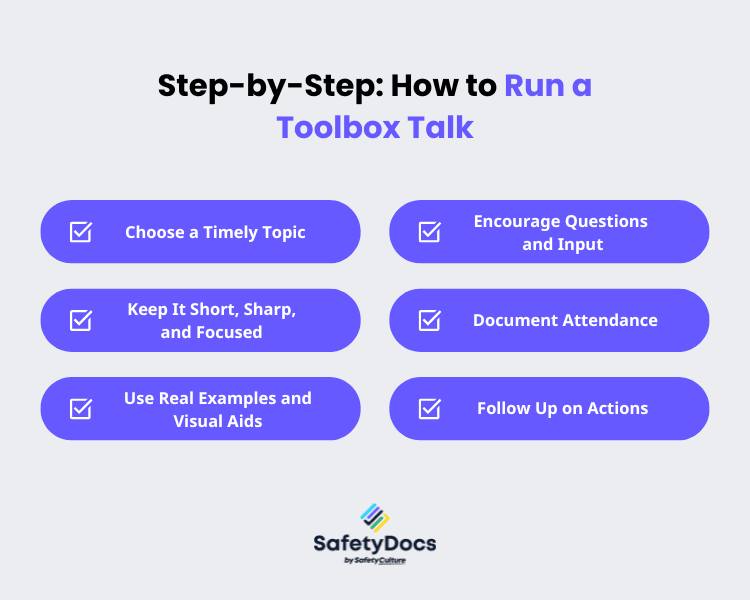
1. Pick a topic from what's happening now
Start with the work, not a list of topics. Good triggers include:
- A recent incident or near miss, discussed without blame.
- A hazard on today's site, such as traffic movements, overhead power lines or an open excavation.
- Work that carries real risk that day, such as work at height. If a SWMS applies, walk the crew through its controls.
- The season: heat stress in summer, slips and wet ground in winter.
2. Keep it to one theme and five to ten minutes
Cover one point well: what the hazard is, what the control is, and what the crew does differently today. If you have a second topic, run a second talk on another day.
3. Show it, don't just say it
Use photos from your site, the actual equipment or a short demonstration. Have a worker show the right way to set up a ladder or check a harness. People remember stories and demonstrations far better than abstract rules.
4. Ask, then listen
Invite the crew into the conversation with questions such as:
- "What risks do you see on today's job?"
- "Has anyone had a close call with this?"
- "What would make this task safer?"
Let people finish. Answer questions plainly, and if you don't know the answer, say so and find out. If someone points out a control that isn't working, treat it as information you need, not a challenge to your authority.
5. Record who attended and what was agreed
Use a meeting and toolbox talk record to note the date, the topic, who attended and any actions. The attendance list is your proof that the talk happened, so make it part of every talk.
6. Close the loop
Write down each issue, name who is responsible for it and set a date to report back. At the next talk, say what was done. This is what keeps workers talking. If nobody acts on what they raise, they stop raising it.
Best practice for toolbox talks
- Rotate who leads. Team leaders and experienced workers can run the talk. Different voices keep the crew engaged.
- Prepare before you arrive. Choose the topic and gather photos or equipment the day before. Don't wing it.
- Go to the hazard. Where it's safe, hold the talk beside the equipment or the work area.
- Speak plainly. Drop the jargon. If a technical term matters, explain what it means on site.
- Connect it to the job. End by saying what the topic means for the task the crew is about to start.
How toolbox talks fit with your other safety documents
A toolbox talk doesn't replace a SWMS, a safe operating procedure or a risk assessment. It's how you bring those documents to the crew. Use the talk to walk through the controls for the day's work, then record that you did.
If the talk shows that a control isn't working, the control needs reviewing. Regulation 38 of the WHS Regulations lists the triggers, including a control that doesn't work and a new hazard at the workplace. For the bigger picture on picking controls, see our guide to the hierarchy of controls.
How SafetyDocs helps
SafetyDocs keeps your toolbox talk records and the documents they refer to in one place. Job and site details fill themselves in, so the record starts from the right information every time. Workers sign on from a text, a link or a QR code on any phone, with no app or account. A site tablet in kiosk mode covers anyone without a phone.
If a worker raises a problem during the talk, they can log it against the step with a photo. The job's activity log keeps a dated record of what was posted, what was raised and who read and signed what.
Toolbox talk topics to rotate through
Rotating topics stops talks going stale. Some options for the year:
- Working at heights and fall prevention.
- Manual handling and lifting technique.
- PPE selection, fit and care.
- Heat stress and hydration.
- Fatigue and rest breaks.
- Traffic and vehicle movements on site.
- Electrical safety and isolation.
- Hazard and near-miss reporting.
- Emergency procedures and evacuation.
- Working in a confined space.
We cover more ideas in our guide to toolbox talk topics for construction and trades.
Common questions
What is a toolbox talk? A short safety meeting on site, usually 5 to 10 minutes, about one safety topic. It can cover a hazard on the job, a recent incident or a procedure the crew needs to follow that day.
Are toolbox talks a legal requirement? The WHS laws don't name toolbox talks, but you do have a duty to consult workers under section 47 of the WHS Act. A toolbox talk is a practical way to meet that duty. Health and safety committees and representatives have their own rules, so check what applies to your business with your regulator.
Who should run a toolbox talk? Anyone who knows the topic and can keep the group focused. That's usually the supervisor, a site safety officer or a health and safety representative. Rotating the role among the crew works well.
Do I need to keep records? The WHS laws don't set a format. A dated record of the topic, the attendees and the actions is the best evidence that you consulted workers and followed up on what they raised.
This is general information, not legal advice. Check the current law with your WHS regulator.
템플릿 라이브러리
이제 바로 쓸 수 있는 SWMS로 직접 적용해 보세요.
호주 업종에 맞게 작성된 SWMS 템플릿을 둘러보세요. 어떤 템플릿이든 무료로 미리 보고, 몇 분 만에 내 작업에 맞게 고칠 수 있습니다.
이 작업을 위한 템플릿
템플릿 라이브러리 둘러보기관련 안내서
안전 문화
Toolbox talk topics for construction and trades
Over 50 toolbox talk topics for construction and trades, grouped by hazard, with the point to make on site and how to pick this week's topic.

안전 문화
Safety culture: what it is and why it matters at work
What safety culture means, what a strong one looks like on site, the benefits it brings, and practical ways to measure and build it in your workplace.
안전 문화
Unsafe work practices: 10 to avoid and how to prevent them
Ten unsafe work practices behind many workplace injuries, from skipped PPE and lockout steps to horseplay and unreported near misses, and how to stop each.