Chemical & SDS Register
FormVersion 3
Its guidance and example entries are locked
You can see how the form is laid out. Get it to fill in on any device, print it, or make it your own.
Form · FORM-30050
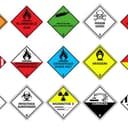
The Chemical & SDS Register helps a business track the hazardous chemicals at its workplace, so its hazardous substances and dangerous goods are managed and recorded and it can keep up with workplace safety regulations.
It records the company name and location, and for each substance its GHS classification, DG class and packing group, SDS issue date, total quantity on-site, and its placard and manifest quantities and whether each is required. A hazardous chemicals and dangerous goods key, and definitions of the U.N. number, hazard category, DG class, packing group and HAZCHEM code, help in filling it in.
It suits manufacturing and industrial facilities, laboratories and research institutions, construction companies, warehousing and logistics, and any business handling hazardous chemicals. It is part of the Health and Safety Manual, whose documents refer to each other.
Chemical & SDS Register
Its guidance and example entries are locked
You can see how the form is laid out. Get it to fill in on any device, print it, or make it your own.
How it reads in a browser
Sign up free, then choose how you'd like it. Your company details fill in for you.
Use template credits from your plan. This one costs 1.
Compare plans and prices$89.95 paid once, and it's yours to keep. Works on the free plan too.
No card needed to sign up. Early access members get 30% off any plan.
and 1 more
No reviews yet.




How templates work
Every template's job steps, hazards and first task are open to read. No sign-up.
Tailor a demo SWMS with your company, job and site, on a computer or your phone.
Your details and logo carry over. This template opens already filled in.
Paid plans include template credits every month. Or buy this one to keep.