Free 'Do I need a SWMS?' checker for your website
Add our free SWMS checker to your website. Visitors tick the work a job involves and see straight away whether the WHS laws need a SWMS.
ਇਹ ਲੇਖ ਫ਼ਿਲਹਾਲ ਅੰਗਰੇਜ਼ੀ ਵਿੱਚ ਹੈ।
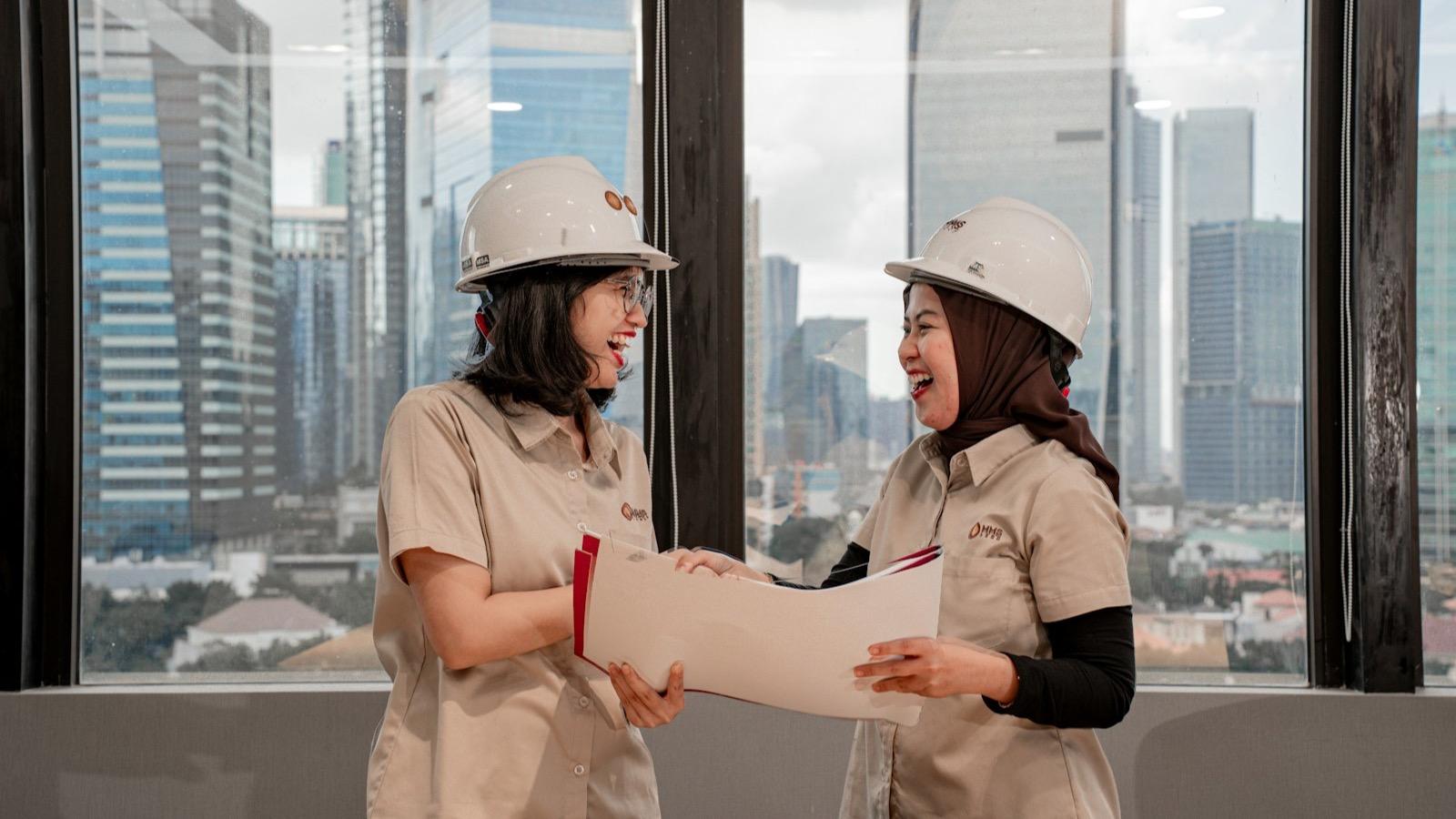
You can put our "Do I need a SWMS?" checker on your own website for free. Your visitors tick the work a job involves, and the checker tells them straight away whether the WHS laws require a safe work method statement (SWMS). It's free, there's nothing to sign up for, and it shows no ads.
Try it
Set it up below and watch the preview change. Tick a few kinds of work to see the answer, then copy the code for your site. We keep the rules up to date: we check the WHS laws every week, update the checker when they change, and show the date we last reviewed it.
ਸਾਈਟਾਂ ਇਸਨੂੰ ਕਿਉਂ ਜੋੜਦੀਆਂ ਹਨ
- ਹਮੇਸ਼ਾ ਅੱਪਡੇਟਅਸੀਂ ਹਰ ਹਫ਼ਤੇ ਕਾਨੂੰਨ ਜਾਂਚਦੇ ਹਾਂ ਅਤੇ ਬਦਲਣ 'ਤੇ ਇਸਨੂੰ ਅੱਪਡੇਟ ਕਰਦੇ ਹਾਂ।
- ਹਮੇਸ਼ਾ ਲਈ ਮੁਫ਼ਤਨਾ ਇਸ਼ਤਿਹਾਰ, ਨਾ ਸਾਈਨ-ਅੱਪ।
- ਪਹਿਲਾਂ ਤੁਹਾਡਾ ਬ੍ਰਾਂਡਤੁਹਾਡਾ ਨਾਂ, ਰੰਗ ਅਤੇ ਬਟਨ ਸਭ ਤੋਂ ਅੱਗੇ।
- ਕੋਈ ਟ੍ਰੈਕਿੰਗ ਨਹੀਂਚੈੱਕਰ ਦੇ ਅੰਦਰ ਨਾ ਕੂਕੀਜ਼, ਨਾ ਐਨਾਲਿਟਿਕਸ।
- ਨੌਂ ਭਾਸ਼ਾਵਾਂਵਿਜ਼ਿਟਰ ਇੱਕ ਟੈਪ ਨਾਲ ਭਾਸ਼ਾ ਬਦਲਦੇ ਹਨ।
- ਪ੍ਰਿੰਟ ਹੋਣ ਵਾਲੀ ਚੈੱਕਲਿਸਟਜਿਸ 'ਤੇ ਤੁਹਾਡਾ ਨਾਂ ਹੁੰਦਾ ਹੈ।
- ਦੋਵਾਂ ਪਾਸਿਆਂ ਨੂੰ 10% ਛੋਟਤੁਹਾਨੂੰ, ਅਤੇ ਹਰ ਉਸ ਨੂੰ ਜੋ ਤੁਹਾਡੇ ਚੈੱਕਰ ਰਾਹੀਂ ਸਾਈਨ ਅੱਪ ਕਰਦਾ ਹੈ।
- ਹਰ ਕਿਸੇ ਲਈ ਵਰਤਣਯੋਗਲੇਬਲ ਵਾਲੇ ਕੰਟਰੋਲ, ਕੀਬੋਰਡ ਨਾਲ ਵਰਤੋਂ, ਪੜ੍ਹਨਯੋਗ ਕੰਟਰਾਸਟ।
1. ਇਸਨੂੰ ਆਪਣਾ ਬਣਾਓ
ਹਰ ਜਵਾਬ ਹੇਠਾਂ ਮੁੱਖ ਬਟਨ।
0/200। ਹਰ ਜਵਾਬ ਨਾਲ ਦਿਸਦਾ ਹੈ।
ਬੰਦ ਕਰਨ ਨਾਲ ਸਾਡੇ ਟੈਂਪਲੇਟ ਅਤੇ ਸਾਈਨ-ਅੱਪ ਲਿੰਕ ਲੁਕ ਜਾਂਦੇ ਹਨ।
2. ਵੇਖੋ ਇਹ ਕਿਵੇਂ ਲੱਗਦਾ ਹੈ
3. ਕੋਡ ਕਾਪੀ ਕਰੋ
ਕਿਸੇ ਵੀ ਪੰਨੇ ਵਿੱਚ ਪੇਸਟ ਕਰੋ। ਇਹ ਆਪਣਾ ਆਕਾਰ ਆਪ ਠੀਕ ਕਰ ਲੈਂਦਾ ਹੈ।
<div style="max-width:760px">
<script async src="https://safetydocs.app/embed/swms-checker.js"></script>
<p style="margin:8px 0 0;font-size:13px"><a href="https://safetydocs.app/en-AU/templates/high-risk-construction-work">ਚੈੱਕਰ SafetyDocs ਵੱਲੋਂ ਉਪਲਬਧ</a></p>
</div>ਕਿਰਪਾ ਕਰਕੇ ਚੈੱਕਰ ਦੇ ਹੇਠਾਂ ਕ੍ਰੈਡਿਟ ਲਿੰਕ ਰਹਿਣ ਦਿਓ। ਇਸੇ ਨਾਲ ਚੈੱਕਰ ਮੁਫ਼ਤ ਰਹਿੰਦਾ ਹੈ।
4. ਤੁਹਾਡੇ ਸਾਈਟ ਦਫ਼ਤਰ ਲਈ QR ਪੋਸਟਰ
ਜਿੱਥੇ ਤੁਸੀਂ ਇਸਨੂੰ ਲਾਇਆ ਹੈ। QR ਕੋਡ ਇਹ ਪੰਨਾ ਖੋਲ੍ਹਦਾ ਹੈ।
ਇੱਥੇ ਤੁਸੀਂ ਹੋ ਸਕਦੇ ਹੋ
ਅਸੀਂ ਹੁਣ ਆਪਣੇ ਪਹਿਲੇ ਪਾਰਟਨਰ ਚੁਣ ਰਹੇ ਹਾਂ। ਚੈੱਕਰ ਜੋੜੋ, ਸਾਨੂੰ ਦੱਸੋ, ਅਤੇ ਅਸੀਂ safetydocs.app 'ਤੇ ਤੁਹਾਡੀ ਸੰਸਥਾ ਨੂੰ ਤੁਹਾਡੀ ਸਾਈਟ ਦੇ ਲਿੰਕ ਨਾਲ ਵਿਖਾਵਾਂਗੇ। ਪਾਰਟਨਰਾਂ ਨੂੰ ਪਹਿਲੇ ਸਾਲ SafetyDocs 'ਤੇ 10% ਛੋਟ ਮਿਲਦੀ ਹੈ, ਅਤੇ ਉਹਨਾਂ ਦੇ ਚੈੱਕਰ ਰਾਹੀਂ ਸਾਈਨ ਅੱਪ ਕਰਨ ਵਾਲੇ ਹਰ ਕਿਸੇ ਨੂੰ ਵੀ।
ਆਪਣੀ ਥਾਂ ਲਓ- ਤੁਹਾਡੀ ਸੰਸਥਾਫੀਚਰਡ ਪਾਰਟਨਰ
- ਥਾਂ ਖਾਲੀ ਹੈ
- ਥਾਂ ਖਾਲੀ ਹੈ
Who it's for
- Builders and principal contractors can put it in a subcontractor portal or induction page. Subbies find out before they arrive whether the gate will ask for a SWMS, and see what you'll check. Your own button ("Upload your SWMS", "Book an induction") is the main button under every answer.
- Industry associations give members a quick answer with your name on it, so fewer of those calls reach your office.
- Safety consultants can use it to start the conversation about what a client's work actually needs, with a button to book you.
- Training providers (RTOs) can add it to course pages, so students see where the rules apply on real jobs.
- Labour hire companies and councils can give workers and local trades the same quick answer.
The tradie on the other end gets an answer in about 10 seconds, with no sign-up, in plain words. If they need a SWMS, they also get what the builder checks at the gate, and a checklist they can print, save as a PDF or send to themselves.
What the checker does
A SWMS is required before any high-risk construction work starts. The model WHS Regulations list 18 kinds of it in regulation 291, from work where someone could fall more than 2 metres to work in or near a confined space, a trench or energised electrical installations.
- The most common work comes first: falls, live electrical work, trenches, asbestos, confined spaces and moving plant. "Show all 18" lists the rest.
- Tick any that apply and it says a SWMS is required. It lists what the builder checks: it's written for the site, breaks the job into steps with the hazards and controls for each, says who is responsible, is signed by the crew, and is kept on site and up to date. It also shows what regulation 299 says a SWMS must include.
- Choose "None of these apply" and it says a SWMS isn't required by law for that work, but that builders often ask for one anyway, and that the risks still need managing.
- On a phone, a bar at the bottom of the screen counts the ticks and jumps to the answer.
Visitors can pick their state. The list stays the model's 18 kinds, and the checker names the regulator. Victoria has its own regulations, so Victorian visitors are pointed to the WHS laws by state. Each state and territory also has a page of its own, such as the SWMS requirements in NSW and in Victoria.
Visitors can also switch language: English, Arabic, Simplified Chinese, Vietnamese, Punjabi, Hindi, Nepali, Korean or Spanish. The answer and the printed checklist follow, with a note that the English version is the reference. SafetyDocs can send the SWMS itself in those languages too: see SWMS in your crew's languages.
The options
Fill in the form above and the code includes your choices.
- Your name shows as "Provided by …" or "From …", and on the printed checklist as "Prepared with …".
- Your colour goes on the buttons and ticks. If it's too light to read as text, the checker uses a darker shade for links, and picks black or white text for your buttons.
- Light or dark, rounded or square to suit your site.
- A default state and language, which visitors can still change.
- Your button: a label and a link to your own page. It's the main button under every answer, with your domain next to it.
- A note of up to 200 characters, shown with every answer. For example: "Our sites need your SWMS 48 hours before you start."
- SafetyDocs template links: on by default. Turn them off and the answer shows only your button. The credit link stays.
How to add it to your site
- Set it up in the form above.
- Copy the code from the "Script" tab and paste it where the checker should go. It loads only when a visitor scrolls to it, and sizes itself to fit.
- Publish.
The "Platforms" tab has three short steps for WordPress, Squarespace, Wix and Webflow. If your site removes scripts, use the "HTML" tab instead: the checker keeps a fixed height and scrolls inside its frame.
Not sure where to paste it? The "AI prompt" tab writes a request for ChatGPT, Claude or your site builder's AI assistant. It includes your code, says where to put it, asks for it to be pasted unchanged with the credit link kept, falls back to the HTML-only code if scripts are removed, and asks the assistant to check that the checker shows and resizes.
Please keep the credit link under the checker. It's plain HTML in your page, and it's how we keep the checker free.
Ways to use it
- Your SWMS requirements page, so subbies check before they ask.
- Subcontractor onboarding emails: link to the page with the checker.
- Induction pages, next to your site rules.
- Your member newsletter, as a quick tool members can use today.
- A QR poster in the site office. The configurator makes one: add your page's address, then print it or download it.
- Toolbox talks, to show the crew which work needs a SWMS. Pair it with our 5×5 risk matrix calculator when the work isn't on the list but still needs its risks rated.
Added it to your site? Tell us and we'll feature your organisation on our "Used by" list.
Privacy
The checker loads no analytics, no tracking, no cookies and no advertising pixels, and it stores nothing. What visitors tick stays in their browser. "Send to myself" opens their own messages or email app, and nothing is sent to us.
Accessibility
The checker is built to be accessible. Every control is labelled and works with a keyboard, tick boxes and buttons are at least 44 pixels high, and the answer is announced as it changes. Your colour is adjusted where needed so text keeps a contrast of at least 4.5:1. Arabic reads right to left.
Events for your page
Each time the answer changes, the checker tells your page with a message, so you can log it or fill in your own form. Listen for message events from https://safetydocs.app whose type is safetydocs:checker-answer. Each one has:
answer:"yes"or"no", or"open"if the answer has been cleared (a tick removed, or a state picked that the ticked work doesn't apply in)work: the kinds of work ticked, such as["falls", "asbestos"]state: the state picked, such as"nsw", ornullfor "Most states"
Nothing is sent unless your page listens for it.
Want to know what goes in a SWMS once you know you need one? See what must a SWMS include, and who prepares, signs and keeps a SWMS. To write one, start from a free SWMS template in the editor, with no sign-up.
Common questions
Is the checker really free? Yes. There's no charge, no sign-up and no ads. We ask only that you keep the credit link under it.
What do partners get? Organisations that add the checker and that we approve as partners get 10% off SafetyDocs for the first 12 months of their first paid plan, and so does everyone who signs up through their checker. If the 30% founding discount also applies, you get whichever is bigger. See the offer terms.
Can I remove the SafetyDocs links? Yes. Turn off "Show SafetyDocs template links" and the answer shows only your button. The credit link under the checker stays.
Does it work for every state? It follows the model WHS Regulations, which every state and territory but Victoria has adopted. Victoria's list differs in places, so the checker tells Victorian visitors to check the differences.
Will it slow down my page? No. It's a small script that loads the checker in its own frame, only when a visitor scrolls to it.
Does it collect my visitors' details? No. It has no forms, cookies or tracking. Your page sees an answer only if you listen for the events above.
Is it up to date? Yes. We check the WHS Act and Regulations, Victoria's OHS Regulations and Safe Work Australia's model Regulations every week, and update the checker when they change. It shows the date we last reviewed it.
What languages does it speak? English, Arabic, Simplified Chinese, Vietnamese, Punjabi, Hindi, Nepali, Korean and Spanish. You choose the one it starts in; visitors can switch. Translations are for convenience, and the English version is the reference.
Can visitors keep the answer? Yes. They can print the checklist, save it as a PDF, or send a summary to themselves by text or email.
This is general information, not legal advice. Check the current law with your WHS regulator.
ਟੈਂਪਲੇਟ ਲਾਇਬ੍ਰੇਰੀ
ਇਸਨੂੰ ਅਮਲ ਵਿੱਚ ਲਿਆਓ, ਤਿਆਰ-ਬਰ-ਤਿਆਰ SWMS ਨਾਲ।
ਆਸਟ੍ਰੇਲੀਆਈ ਟ੍ਰੇਡਾਂ ਲਈ ਲਿਖੇ SWMS ਟੈਂਪਲੇਟ ਵੇਖੋ। ਕਿਸੇ ਦਾ ਵੀ ਮੁਫ਼ਤ ਪ੍ਰੀਵਿਊ ਕਰੋ, ਫਿਰ ਮਿੰਟਾਂ ਵਿੱਚ ਆਪਣੇ ਕੰਮ ਮੁਤਾਬਕ ਢਾਲੋ।
ਸੰਬੰਧਿਤ ਗਾਈਡਾਂ
SWMS ਅਤੇ JSA
What does SWMS stand for? Safe work method statement explained
SWMS stands for safe work method statement. Learn what it is, when the WHS Regulations require one, what it must include and how it differs from a JSA.
SWMS ਅਤੇ JSA
What must a SWMS include? A checklist for builders
What the WHS Regulations require in a SWMS, what's good practice on top, and the common reasons principal contractors send a SWMS back.

SWMS ਅਤੇ JSA
SWMS template: what it must include and how to use it
What a SWMS template must include under the WHS Regulations, how to adapt one to the job, and the mistakes that leave a template too generic to use.